![VEGAS Pro 18 Edit – Professional video editing [PC Download]](https://img-va.myshopline.com/image/store/1787491415300/71Jf2eAIPKL-AC-SL1500-.jpg?w=1074&h=1500)
![VEGAS Pro 18 Edit – Professional video editing [PC Download]](https://img-va.myshopline.com/image/store/1787491415300/41puGQJz-3L-AC-.jpg?w=358&h=500)
![VEGAS Pro 18 Edit – Professional video editing [PC Download]](https://img-va.myshopline.com/image/store/1787491415300/71Jf2eAIPKL-AC-SL1500-.jpg?h=1500&q=80&w=1074)
![VEGAS Pro 18 Edit – Professional video editing [PC Download]](https://img-va.myshopline.com/image/store/1787491415300/41puGQJz-3L-AC-.jpg?h=500&q=80&w=358)
Free worldwide shipping
Free returns
Carbon neutral
Secure payments

VEGAS Pro continues to push the boundaries of professional video production with its cutting-edge technologies. Experience industry-leading HDR, AI-supported editing tools and numerous improvements to basic tools that have made VEGAS Pro the fastest NLE on the market.
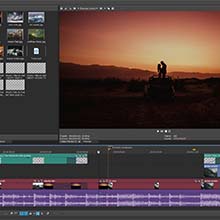
Cutting and editing videos can be done quickly and intuitively with VEGAS Pro 18 and you can achieve the exact results you want in professional quality.
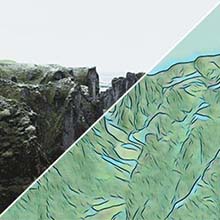
Utilize AI-assisted editing to accomplish demanding tasks efficiently. Use tools like Style Transfer to apply the style of famous artists, such as Picasso and van Gogh, to your edits.
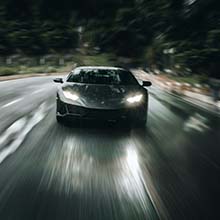
Harness the power of GPU acceleration and enjoy maximum stability, fast rendering, and smooth playback. VEGAS Pro 18 automatically configures the optimal settings to get the most out of your GPU.

VEGAS Pro makes sophisticated color grading intuitive and flexible. Thanks to the unique user-adjustable skin tone line for the Vectorscope, and a powerful camera-like logarithmic exposure tool, you have full control and accuracy – even in HDR
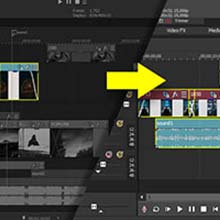
Nested Timelines allow you to organize projects even more efficiently: You can now move freely between parent and child Timelines for an optimized editing workflow.

Greatly reduce or even entirely remove video flickering caused by neon lights and other sources. Or use the Flicker Control filter to add video flicker as a special effect.
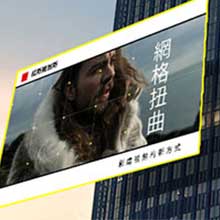
Track and pin text or apply color grading to objects moving in perspective, turning toward you or away from you and changing dimensions as perspective changes. Objects not square to your camera? Use Planar Motion Tracking.
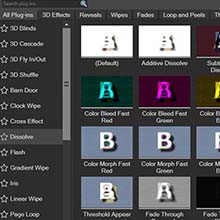
Create stunning slow-motion footage with VEGAS Pro. Using the latest optical flow technology, VEGAS Pro creates artificial intermediary frames that look deceptively real. This lets you create smooth, professional slow motion within the classic VEGAS workflow.
loading
