Free worldwide shipping
Free returns
Carbon neutral
Secure payments
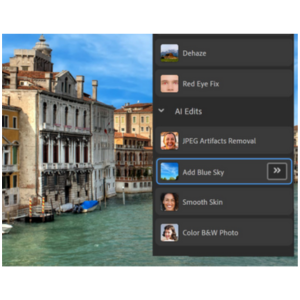
This sixth edition will help you quickly appreciate how Photoshop is powering further into the realm of artificial intelligence. It covers the great new AI-driven features in Photoshop for easy automation. Many of these encompass complex processes that have been distilled into simple one or two-button clicks - making the creative process that much easier and faster.
For example, the Add Blue Sky tool can insert a new sky within seconds, almost perfectly applied to the base image. This edition will teach you how to use this tool along with many more!
Traditionally, optical lenses caused faults such as lens flare and camera distortion. Nowadays, these faults are used as visual effects. In this edition, you will learn how to use Lens Flare to give images a higher sense of reality and Correct Camera Distortion to circumvent distortion issues to make images optically accurate.
This edition introduces the powerful Layers feature, which allows you to create graphics with multiple layers while retaining complete editability of all layer components. You’ll learn how to use layers effectively by paying attention to layer opacity, merging layers, and pseudo layer masking.
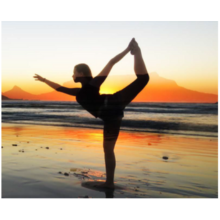
Touring 24 different blend settings, this edition will teach you how to create graphics with immersed layers. By exploring tool blend modes, you will see how you can achieve blending using tools like Brush and Clone, allowing for more artistic blending.
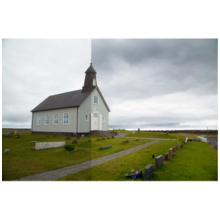
In this edition, you will learn about the simple, one-click tools you can use to manage the hue and saturation of your images, apply camera effects, remove color casting, apply a saturated film effect, and more. These effects are complemented with adjustable controls for greater precision when editing your images.

The Guided Edit mode is now home to the Add Text feature – this packs all Elements' text features into one place, providing another raft of great features for the creative photographer. What’s more, this edition covers new features like Photomerge Faces that transfer objects from one picture to another, allowing you to use the best parts of multiple takes on the same image.
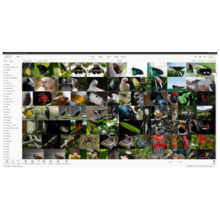
One drawback of digital photography is that you accumulate masses of images and other assets like audio files and video clips. Using the Organizer tool, you can arrange photos into albums or reels, as well as categorizing images by keywords, labels, tags, and more.
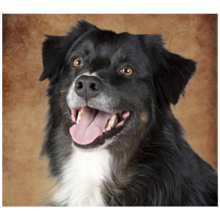
The new Adobe Stock feature provides millions of creative assets covering a huge range of categories. This allows you to experiment with Photoshop tools and features using samples that put the tools to the test, at which point this book can teach you the workarounds.

A surprising addition to Photoshop, the Quote Graphic feature makes working with text easier. This feature uses vectors and Smart Objects to create text that is easily editable and consistently clear.
loading
